Step 0: Go to the Patients Page
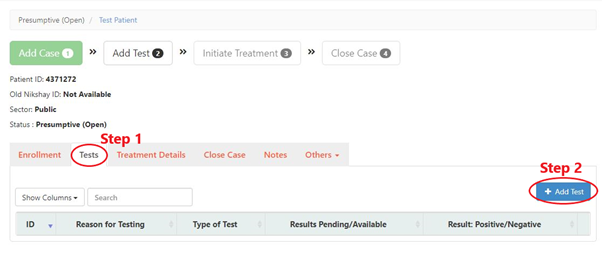
Step 1: Select “Tests” tab
Step 2: Click “Add Test” button.
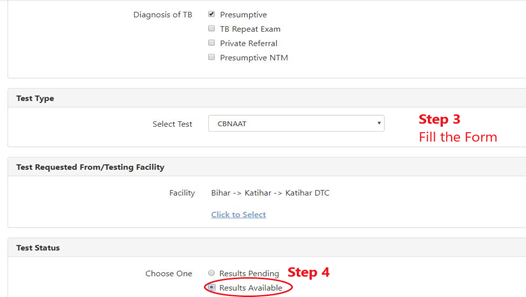
Step 3: Fill the Form
Step 4: Select “Test Status” as “Results Available”.
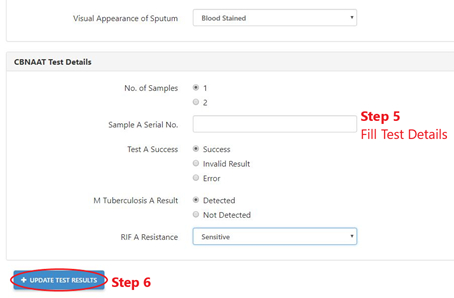
Step 5: Fill the Test Details
Step 6: Click “Add Test” button.

Step 0: Go to the Patients Page
Step 1: Select “Tests” tab
Step 2: Click “Add Test” button.
Step 3: Fill the Form
Step 4: Select “Test Status” as “Results Available”.
Step 5: Fill the Test Details
Step 6: Click “Add Test” button.