Step 0: Go to the Patient’s Page
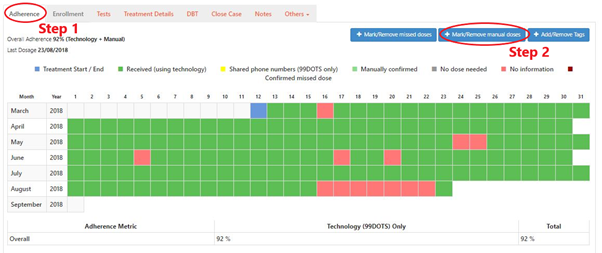
Step 1: Click on “Adherence” Tab
Step 2: Click “+Mark/Remove manual doses” button
Step 3: Select the dates for which you want to mark manual doses
Step 4: Click “+ Confirm altering manual doses” button

Step 0: Go to the Patient’s Page
Step 1: Click on “Adherence” Tab
Step 2: Click “+Mark/Remove manual doses” button
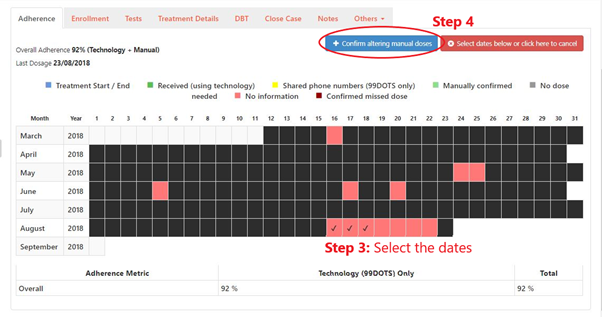
Step 3: Select the dates for which you want to mark manual doses
Step 4: Click “+ Confirm altering manual doses” button